
01
Feels like Finale
Simple Entry and Speedy Entry, the Main Tool Palette, Page View and Scroll View: years of habits still work.
Music notation editor
Maestro is a music notation editor designed for people coming from Finale: enter notes quickly with the keyboard or MIDI, listen, and print score and parts.
beta 0.9.9Free, with no limitations!For Mac and Windows
Opens and saves
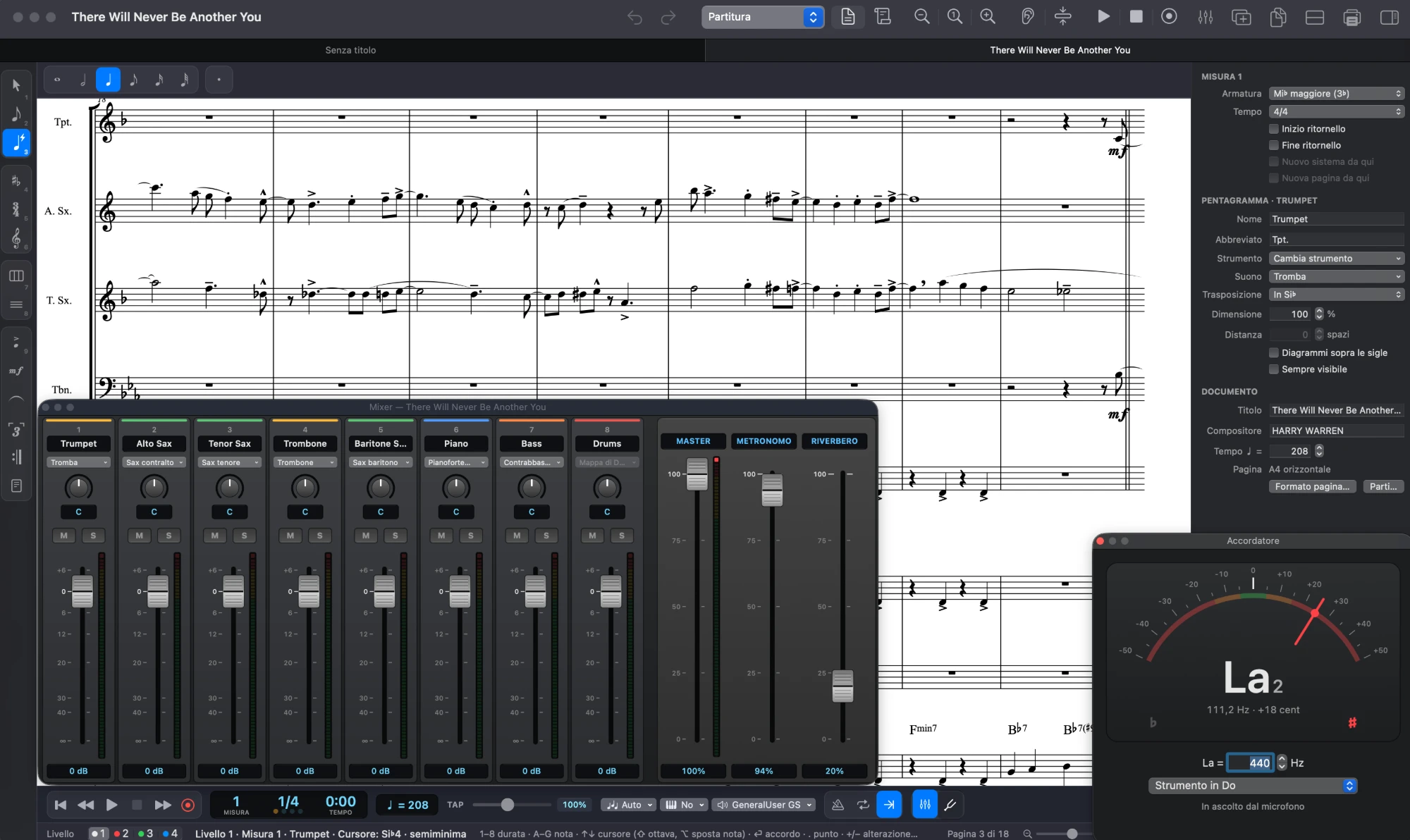
What it does
Simple Entry and Speedy Entry, the Main Tool Palette, Page View and Scroll View: years of habits still work.
Finale scores (.musx), MusicXML and MIDI become Maestro documents, ready to edit.
Playback with General MIDI sounds, mixer, swing and metronome; export to M4A or WAV, including backing tracks without your part.
Automatic layout, parts with cue notes, guitar and bass tablature, print-ready PDFs.
Setlists as a single PDF or audio, tuner, tap tempo and a visual metronome.
Analyze chords, harmonize a melody for a horn section, check instrument ranges.
Up close
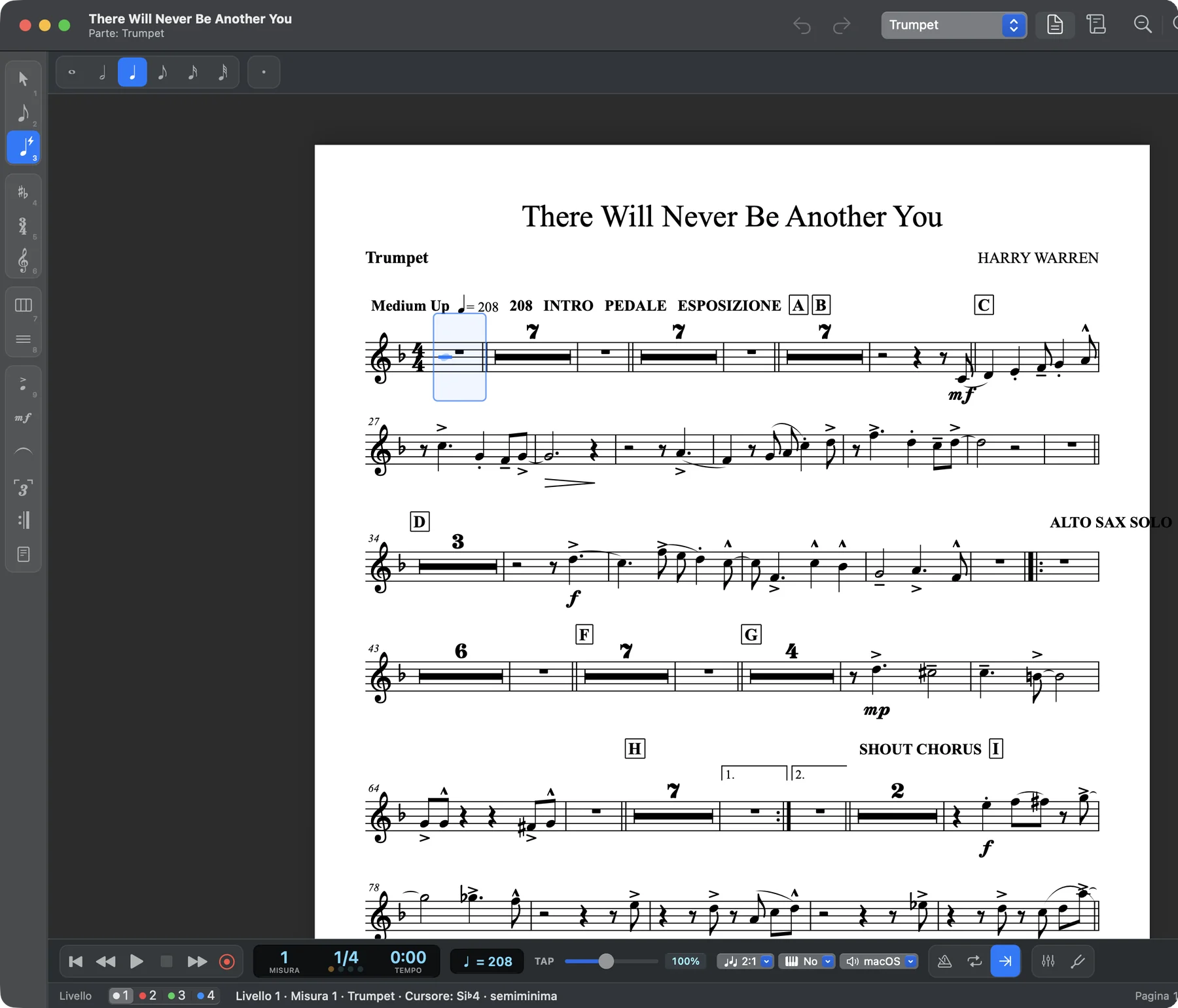
From score to parts in one click: each instrument has its own layout, with multimeasure rests, rehearsal marks, dynamics and cue notes.
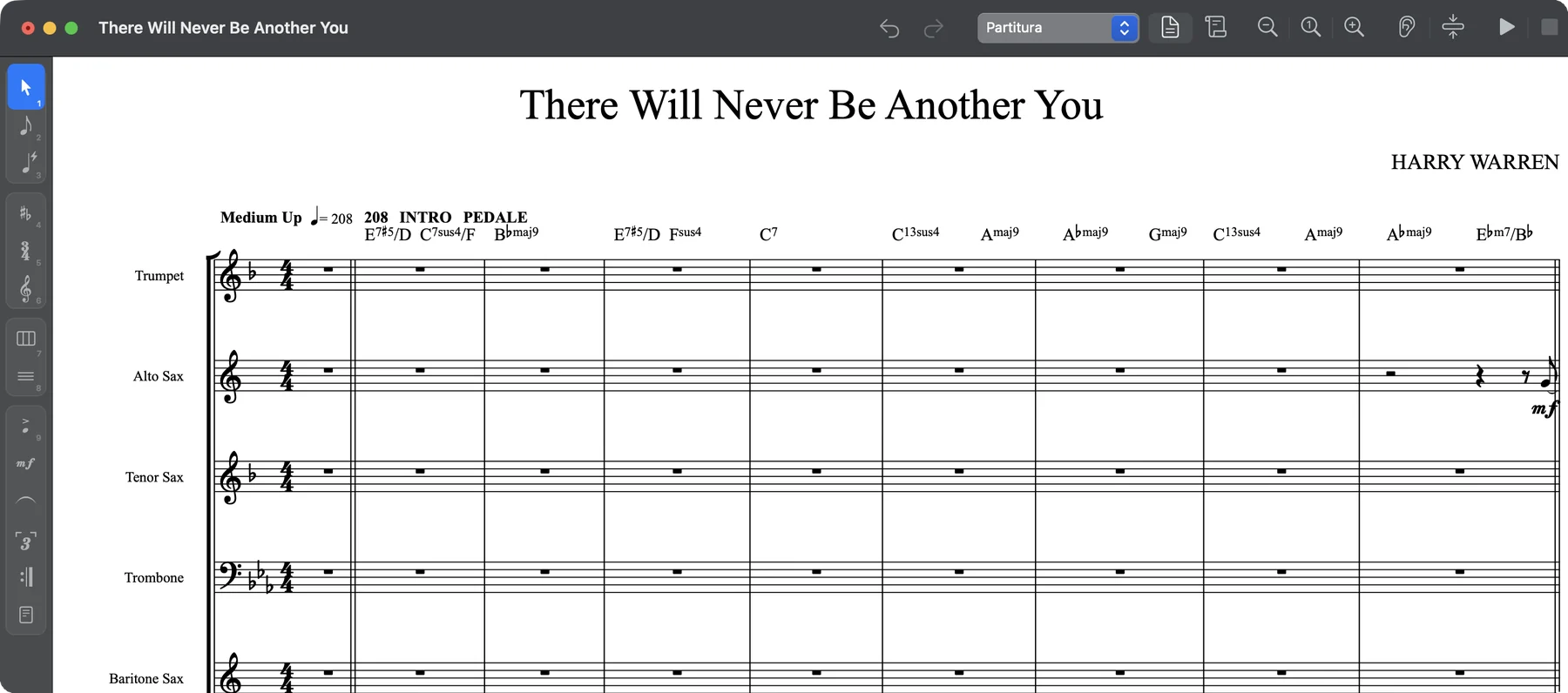
Analyze Chords reads the notes of the whole band and writes chord symbols above the melody: a starting point to arrange, reharmonize or improvise.
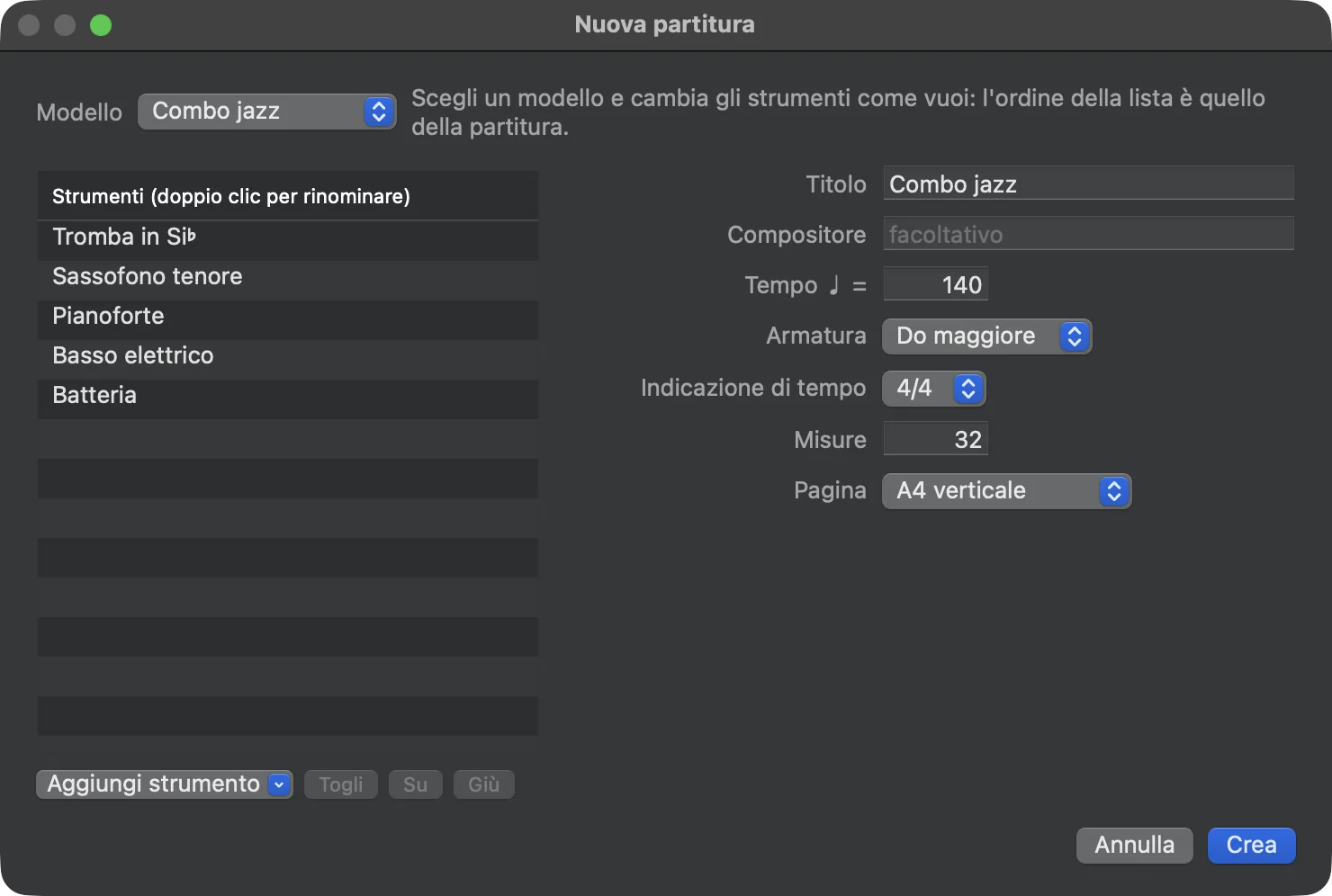
Pick a template (jazz combo, big band, string quartet, SATB choir and more), change the instruments as you like and start writing.

MIDI keyboard
Plug in a MIDI keyboard: write note by note with Speedy Entry, or record as you play and Maestro transcribes it, even with both hands.

Where music happens
On the sofa, on the living room rug or in the rehearsal room: write the idea down as soon as it comes, with your computer keyboard, and hear it right away.
Maestro is free, for Mac and Windows. Download it and open your first score in a minute.